Choosing a screen for my PS2
Most retro gaming communities will praise the CRT as the ultimate retro gaming screen. There’s likely a lot of truth to that but there are some practical reasons I went for a pretty generic PC monitor.
My First Setup
Before the workshop was built I simply used a cheap PS2 to HDMI converter hooked up to my living room TV. It was in my eyes pretty OK. I just enjoyed playing some old games I used to love and despite not the best quality exaggerated by the large TV after playing a bit I would forget and just enjoy playing.
What the first setup taught me is a smaller screen and one with a more square aspect ratio would feel much nicer.
My Current Setup
Oldschool TVs were 4:3 ratio and I wanted to keep a squarish aspect ratio but a good 4:3 screen is a little harder
to come by. I managed to find loads of 14 inch CRTs but wanted something a little larger. Anything larger however
started to get quite a bit pricer.
So instead I opted for a 19inch PC monitor, a few reasons made this a good choice for me.
- First it gives me the square aspect ratio not too far away from the traditional
4:3. - Second there’s a lot more choices of 19inch
1280x1024monitors at cheap prices. - Third I also was building a retro Windows XP gaming PC around this time so a monitor I can use for both setups was ideal.
There’s higher resolution 5:4 screens than the 1280x1024 I went for but once again these get pricey and harder to
find.
The monitor I ended up with is a HP E190i Elite Display with VGA + DVI + DisplayPort inputs. I went for this as I needed multiple inputs (one for XP and one for PS2) so I could switch inputs without having to swap cables. And I wanted one of these cables to be a HDMI/DVI or Display port for the XP build as that would be the outputs from my graphics card.
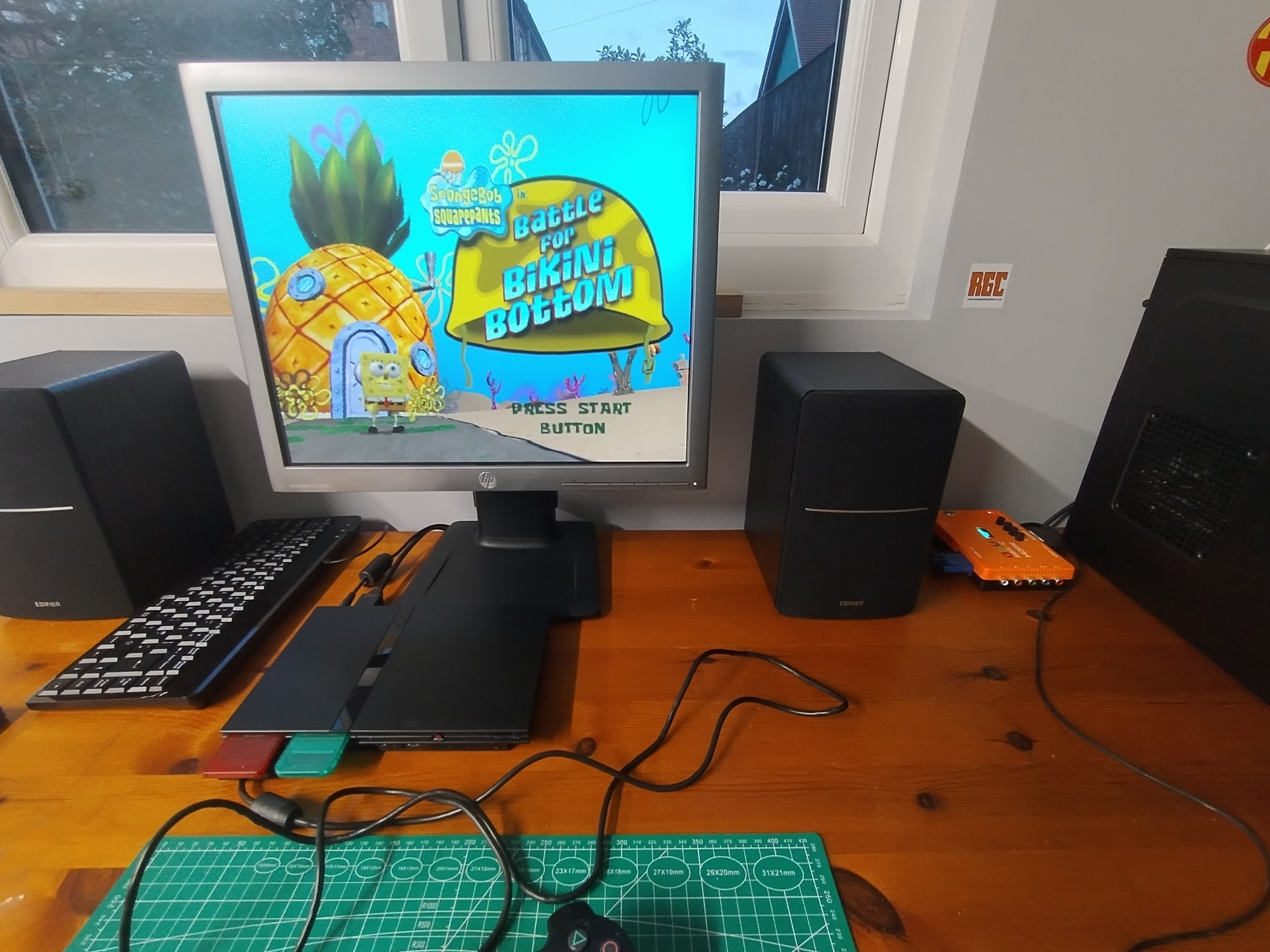
The PS2 is hooked up using the VGA input via Mcbazel GBS-C. The HDMI output was not playing ball with the cables I had (HDMI to DVI) so I used the VGA instead. Turned out fine and the low resolution of the PS2 output (usually 480i) the VGA is more than capable of handling.
I got the monitor for £26.71 from eBay. It’s got some scuffs and a crack on the back of the stand but my retro gaming stuff is all setup in the workshop so I’m not at all bothered by that. It’s going to get scuffed and battered over time anyway in there.
For me the screen looks fantastic via the Mcbazel GBS-C for the PS2 as does it for my Windows XP PC.
Other Considerations
I wanted something 1280x1024, 19 inch and HDMI/DVI and/or Display Port inputs for my XP Build. That meant I had to
go for something “modern” as older LCDs from the XP/PS2 era would usually only have VGA inputs.
I also considered these Dell models (which have very similar specs to the HP):
- Dell P1917S DisplayPort, HDMI and VGA.
- Dell P1914S DisplayPort, DVI (no HDMI) and VGA (older model).
- Dell P1913S even older TN panel - avoid
Though in the end the silver bezel felt more period appropriate than black which every modern monitor seems to be.